CreateChatMessage
The CreateChatMessage tool allows you to create conversational messages that are displayed in the Loopstack Studio frontend. This enables human-in-the-loop interactions through a chat-like interface as part of your workflow.
Messages created with CreateChatMessage are displayed in the Loopstack Studio frontend:
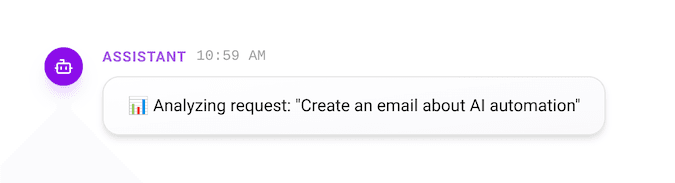 Simple assistant message rendered in the Loopstack studio.
Basic Usage
Single Message
transitions:
  - id: greet_user
    from: start
    to: waiting_for_input
    call:
      - tool: CreateChatMessage
        args:
          content: "Hello! I'm ready to help you process your meeting notes."
          role: assistant
Multiple Messages
transitions:
  - id: conversation
    from: start
    to: waiting_for_response
    call:
      - tool: CreateChatMessage
        args:
          - content: "I've analyzed your document."
            role: assistant
          - content: "Here are the key findings..."
            role: assistant
Message Roles
assistant: Messages from the AI or system to the useruser: Messages from the usersystem: System-level messages or instructions
Complete Example
import { CreateChatMessage } from '@loopstack/core';

@BlockConfig({
  imports: [
    CreateChatMessage,
    // other imports...
  ],
  configFile: __dirname + '/chat-workflow.yaml',
})
export class ChatWorkflow extends Workflow {
  // workflow definition
}transitions:
- id: start_conversation
from: start
to: awaiting_user
call:
- tool: CreateChatMessage
args:
content: "Welcome! How can I assist you today?"
role: assistant
- id: user_responds
from: awaiting_user
to: processing
when: manual
# User response captured here
- id: provide_response
from: processing
to: end
call:
- tool: CreateChatMessage
args:
content: "Thank you for your input. Processing complete!"
role: assistantLast updated on